Calling
The click-to-call telemarketing CRM with cold calling built in.
Your telemarketers call, and the CRM remembers. A softphone built into HuntSales on Hunter and Apex: reps click Call on a contact and dial Singapore numbers with your local number. The rep tags the outcome at hang-up, the recording of an answered call is attached, and the manager sees the whole team's day in one log. No separate dialer, no copy-pasting notes.
Call Queue
Power through a call list with the Call Queue
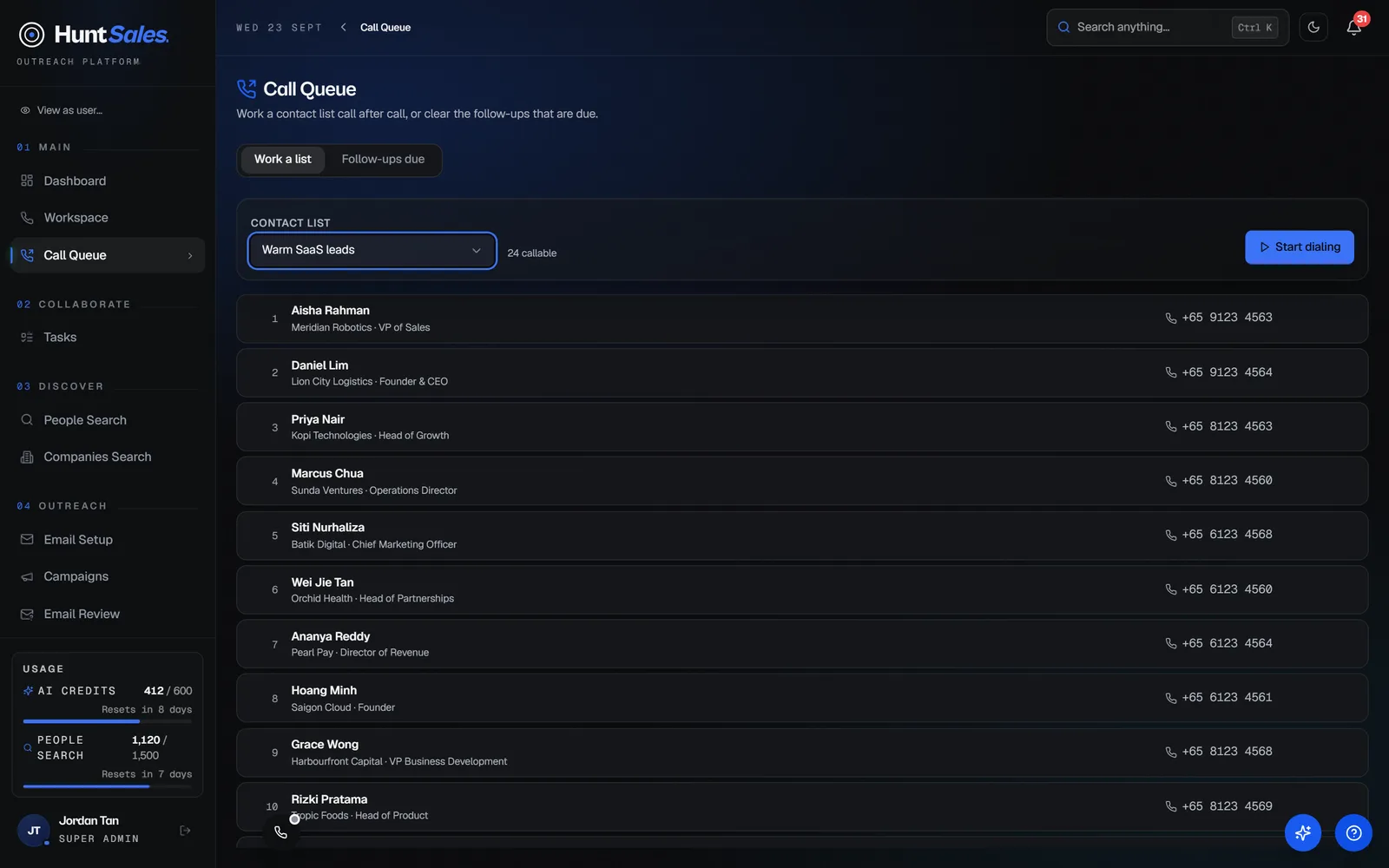
Hand a rep a list of two hundred contacts and the real job becomes deciding who to call next. Call Queue removes that decision. Pick a contact list, press Start dialing, and HuntSales serves one contact at a time until the list is done.
- Any contact list becomes a dialing queue, with each contact resolved to their direct number or the company office line
- Suppressed and do-not-call contacts are excluded automatically, and members without a number are counted rather than silently dropped
- Works with the built-in softphone or a desk phone, with outcomes logged either way
- Other tabs list contacts newly assigned to you and the follow-ups that are due, so fresh leads and promised callbacks get called
Dialing session
Save an outcome, the next contact loads
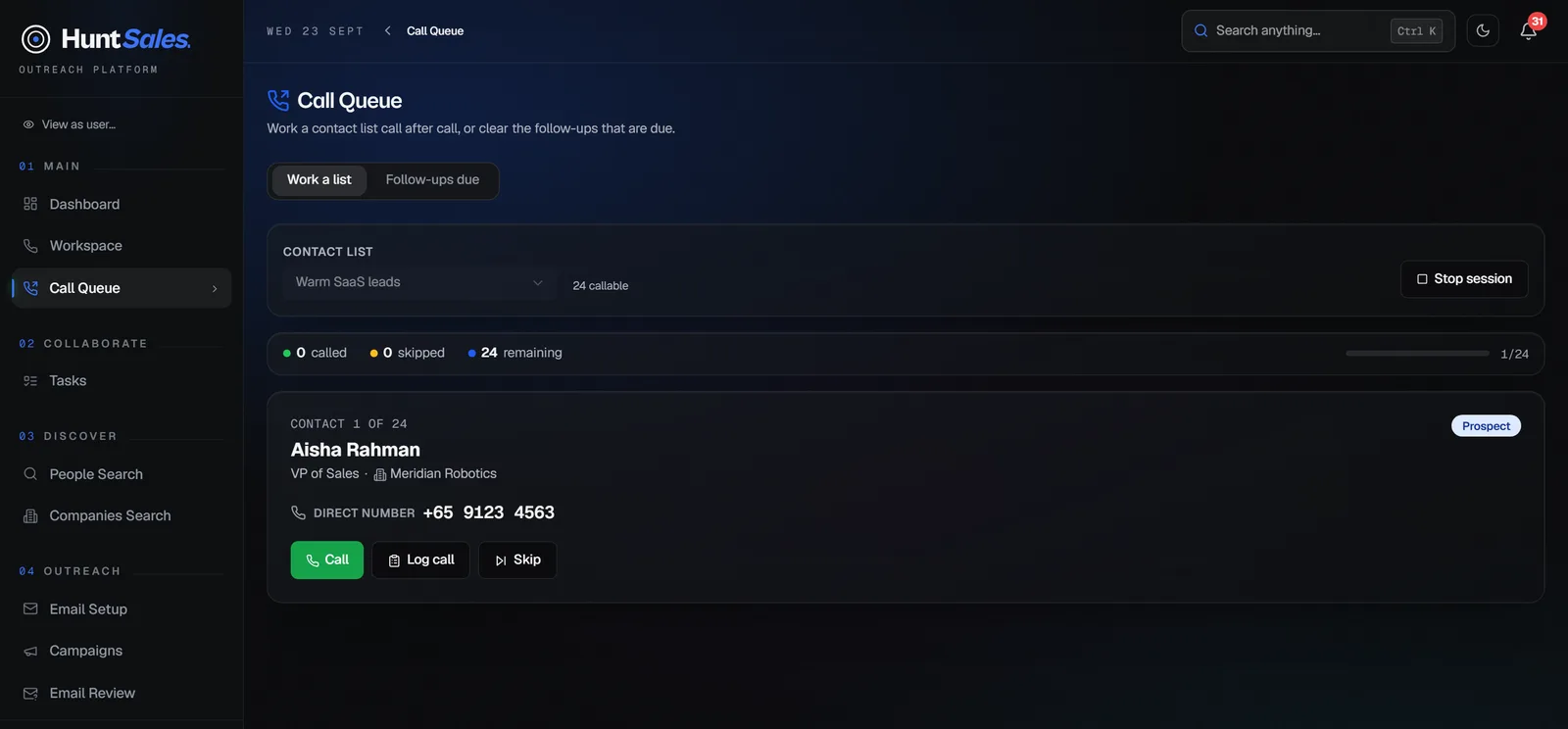
In a session the rep sees one contact: name, title, company, pipeline stage, and the number to dial. Save the call outcome and the queue advances on its own three seconds later. No tab-switching, no lost place, no re-reading the list.
- Auto-advance after every saved outcome, with a pause button when the rep needs to finish a note
- Skip a contact or stop the session at any point, with called, skipped, and remaining counts always visible
- Open the full contact profile in a slide-out without leaving the queue
- Every softphone dial lands in the Call Log with its outcome, so managers see queue sessions like any other calls, and desk-phone calls are logged on the contact's record
Call log
Every call, accountable
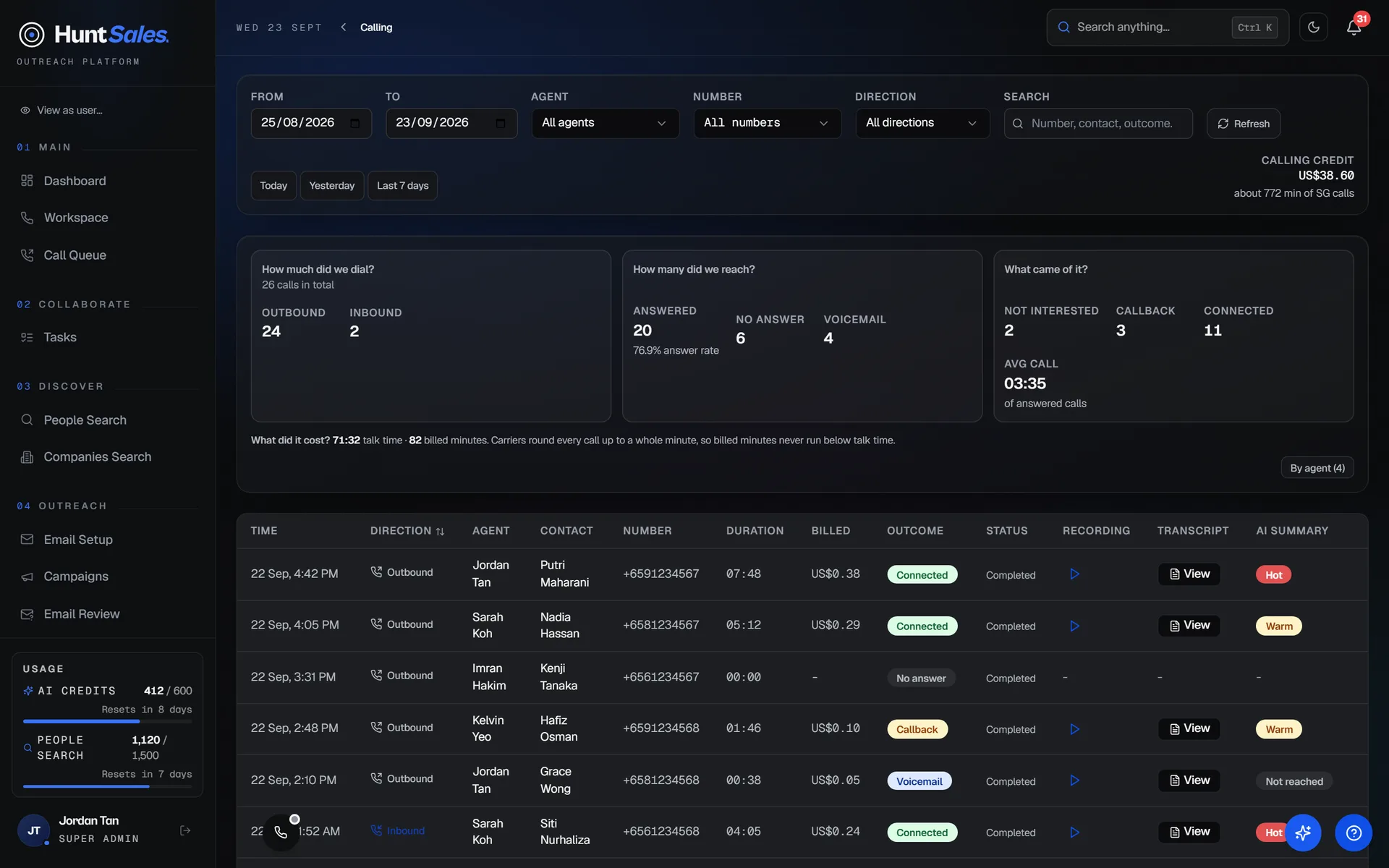
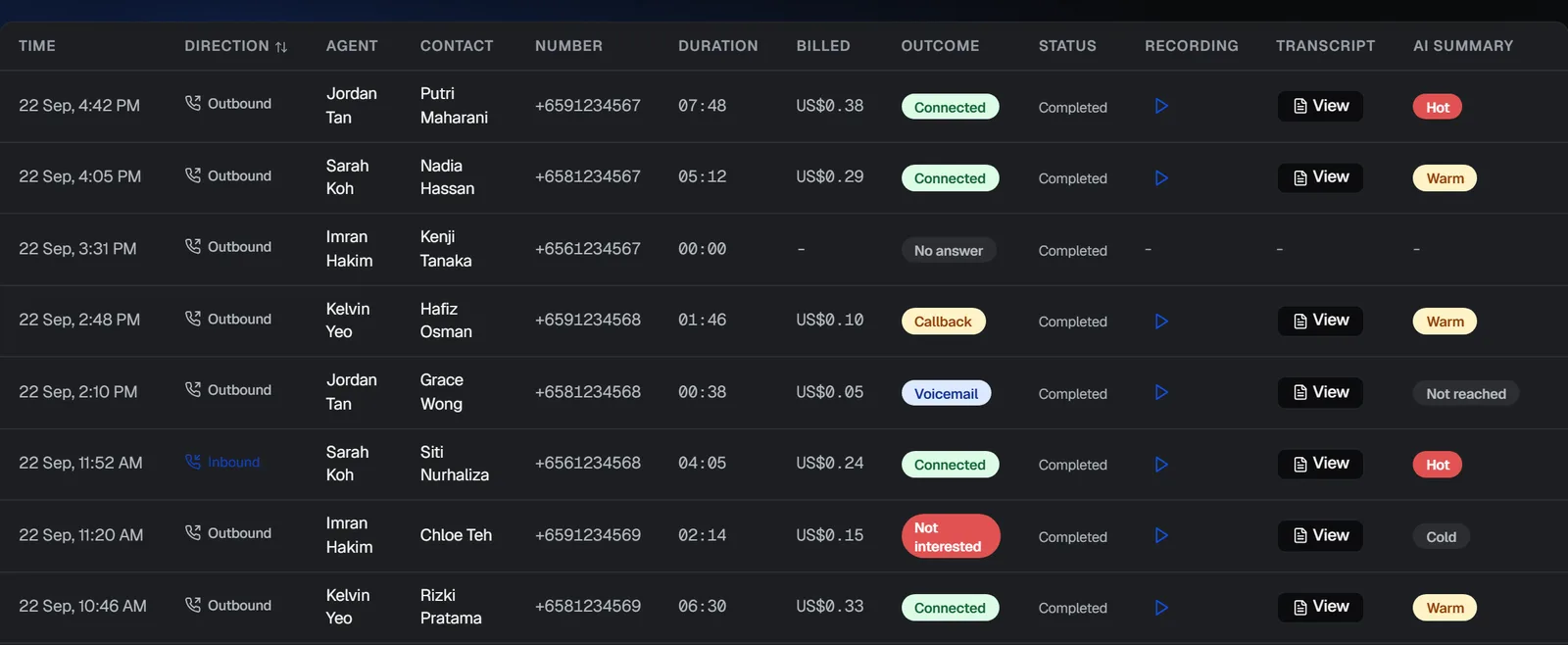
A telemarketer makes forty calls before lunch. Without a system, you know none of them happened. In HuntSales each call lands in the log with the agent, the contact, carrier-accurate duration, and an outcome tag picked at hang-up: Connected, Voicemail, Callback, No answer, or Not interested.
- Filter by date range, agent, or number, with total talk time for any slice
- Reps see their own calls; owners see the whole organisation
- Outcomes and notes captured in the hang-up screen, not from memory
- Missed inbound calls logged with caller ID. A known contact shows by name, and the rep gets a notification
Recordings
Call recordings for audit and training
A client disputes what was promised on a call three weeks ago. Press play, right there in the log. Recordings are access-controlled: owners hear every call, reps hear their own calls once you grant them recording access, and nothing is ever a public link.
- One-click playback inside the Call Log
- Permission-checked: org-wide for owners, own calls for the reps you allow
- PDPA consent reminder shown to the rep on every call
Do not call
Do-not-call contacts kept out of every queue
When a prospect asks not to be called again, move them to the Do Not Call stage and Call Queue leaves them out of every list your team dials, along with suppressed contacts. That is your own do-not-call list. HuntSales does not check Singapore's national DNC Registry for you, so check Singapore numbers there before a marketing call unless the B2B exemption applies. Our Singapore DNC Registry guide explains when it does.
- Contacts at the Do Not Call stage are left out of Call Queue automatically, and so are suppressed contacts
- The queue shows how many contacts it left out, so none are dropped silently
- Check the national DNC Registry separately, at dnc.gov.sg
Numbers
Local +65 numbers from inside the CRM
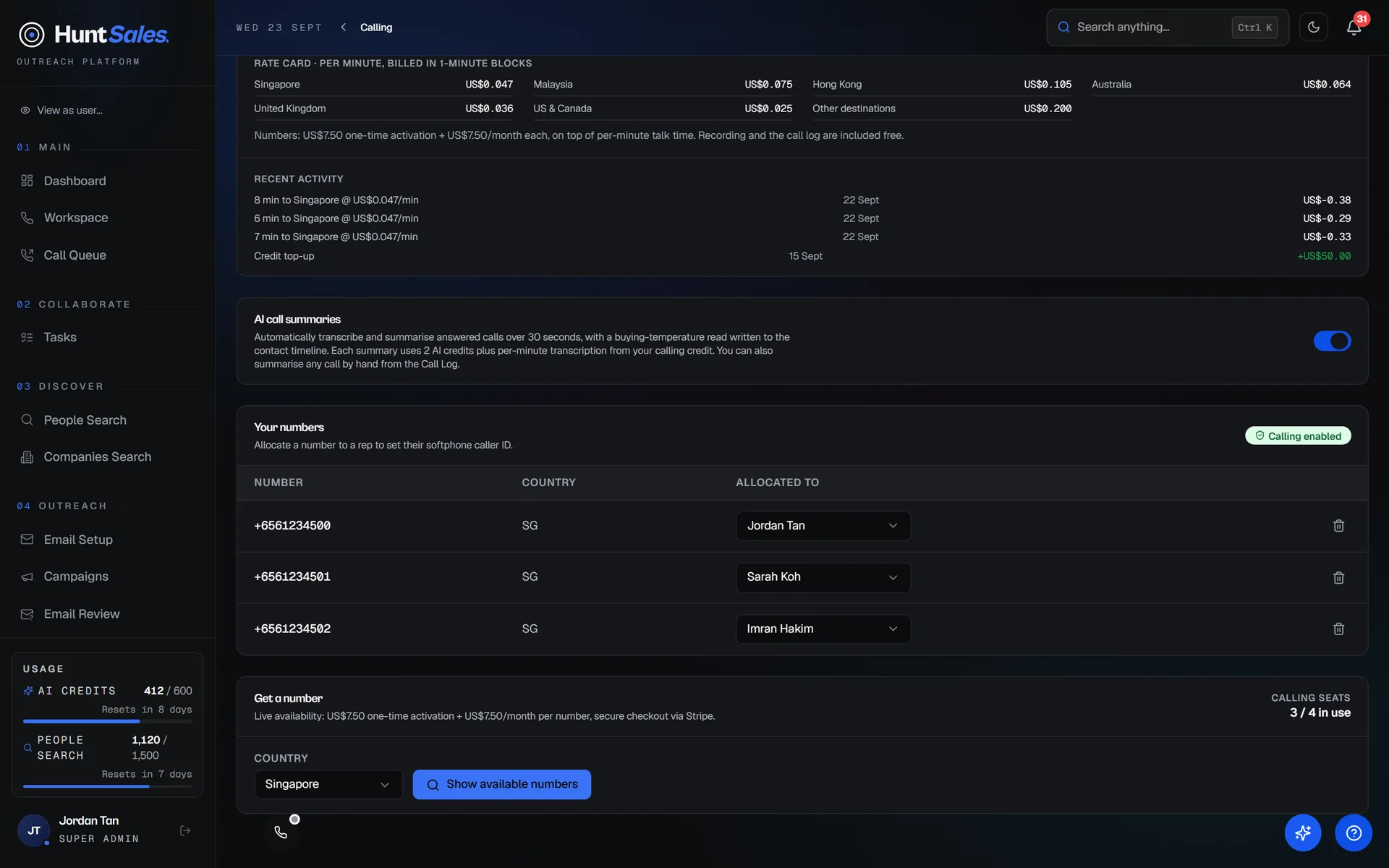
Buyers in Singapore answer +65 numbers. After a one-time business verification, search live availability and a local +65 number is yours in a couple of clicks, then allocate it to a rep as their caller ID. No carrier portal, no IT ticket.
- Live search of available Singapore (+65) numbers
- Singapore numbers at US$7.50/mo plus a US$7.50 one-time setup fee, bought by the workspace owner via secure checkout after a one-time verification
- Prepaid talk time: calls to Singapore numbers at US$0.047/min, billed in whole minutes
- Dial Singapore numbers from a contact or key them into the softphone, with or without the +65 country code
- Allocate numbers per rep; reassign anytime
AI Telephony · live on Hunter and Apex
The AI layer on top
The AI layer is already running on the calls your team makes. Every recorded answered call of 30 seconds or more is transcribed in English, and with auto-summary on, answered calls of 30 seconds or more are summarised with the agreed next step and a buying temperature, written to the contact timeline. Call-aware lead scoring and voice agents that qualify inbound callers for you are still ahead of us.
- English call transcription on every recorded answered call of 30 seconds or more, US$0.011/min from your prepaid calling credit, whether or not it is summarised
- AI summary with the agreed next step on answered calls of 30 seconds or more, 2 AI credits per summary
- Voice agents and call QA scoring on the roadmap, not built yet
Questions about click-to-call
What is a click-to-call CRM?
A CRM where you call a prospect by clicking their number, through a phone built into the browser, and the call is logged on their record. In HuntSales, reps click Call on a contact and dial from a local +65 number, tag the outcome at hang-up, and the call lands in the Call Log with its recording.
Which plans include calling?
Hunter and Apex, with one calling seat per user on your subscription. Free and Scout do not include calling.
What do calls cost?
Calling runs on prepaid talk time, not credits. Calls to Singapore (+65) numbers are US$0.047 a minute and inbound minutes US$0.02, billed in whole minutes. A Singapore local number is US$7.50 a month plus a US$7.50 one-time setup fee, and every recorded answered call of 30 seconds or more is transcribed at US$0.011 a minute.
Are calls recorded?
Yes, answered calls are recorded. Owners can play every recording in the Call Log; reps hear their own calls once you give them recording access, and a recording is never a public link.
Does HuntSales check the Singapore DNC Registry?
No. Contacts at the Do Not Call stage and suppressed contacts are left out of every Call Queue, which is your own do-not-call list. Check Singapore numbers against the national DNC Registry at dnc.gov.sg before a marketing call, unless the B2B exemption applies; is cold calling legal in Singapore? explains when it does.
Put calling inside your CRM.
Calling is on Hunter and Apex. Start free, connect your team, and add a local number when you upgrade and are ready to dial.