Workflow automation · Beta
Put your busywork on autopilot.
Build automations on a visual canvas inside your CRM. When something happens (a reply lands, a deal is won, a schedule fires) run a sequence of steps: change a stage, wait a day, branch on a condition, create a task, and reach Slack, Google Sheets, Google Calendar, or any API. Automations are in beta and still under active development, so expect the canvas to keep changing while we refine it.
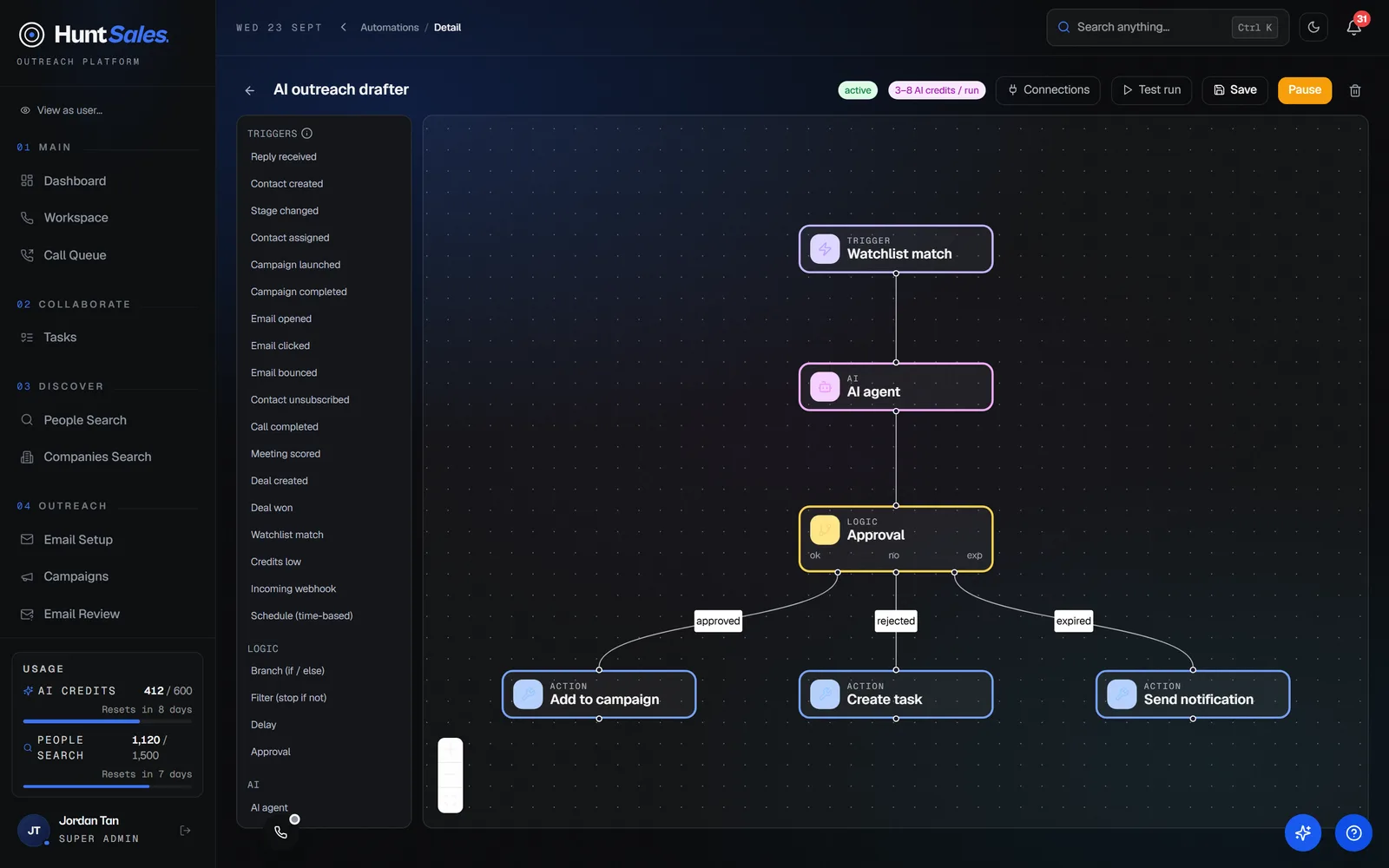
Visual builder
Drag, connect, done
Every automation starts with one trigger, then flows into the steps you drop below it. Click a step to configure it. Start from a recipe and tweak it, or build from a blank canvas. No code required.
- 16 CRM triggers, from reply received to deal won to watchlist match
- Schedule triggers: run daily, weekly, or monthly at a time you pick
- Branch on a condition, filter, or wait minutes, hours, or days
- CRM actions: set stage, assign, add to a list, suppress, create a task, notify
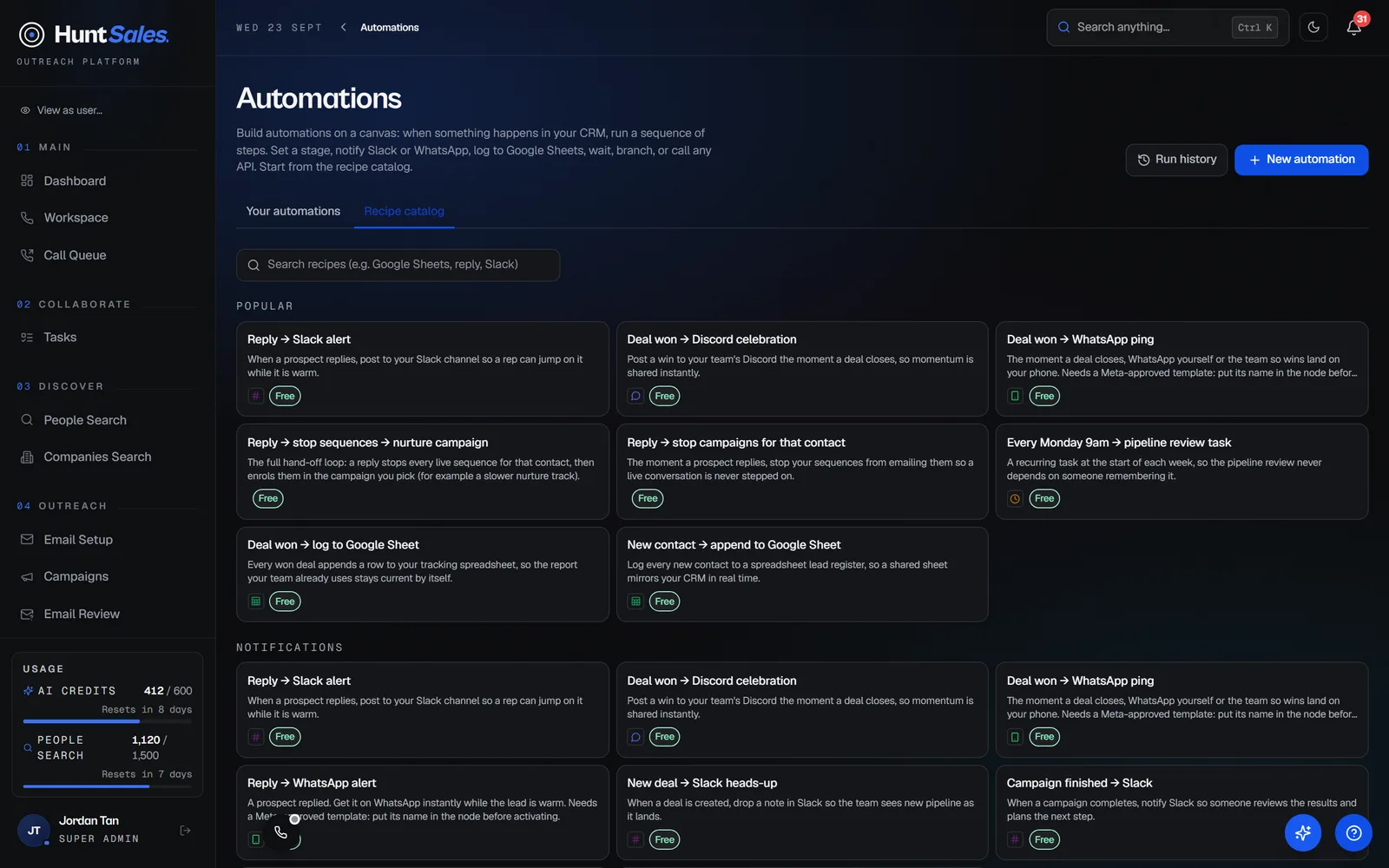
- Start from ready-made recipes and adjust them to your process
AI agent
An agent that drafts, and a human who approves
Drop an AI agent step on the canvas: give it a goal and it reads your CRM context to draft a message or decide a next step. Pair it with an approval step so anything that leaves your CRM waits for your yes. Every agent run is budget-capped, so costs stay predictable.
- Give the agent a goal; it reads contacts, pipeline, and signals to draft or decide
- Propose-only, or let it act on internal writes (tasks, stage, lists)
- Approval steps pause the run and ping you on Slack, Telegram, or in-app
- Hard per-run caps on tool calls and AI credits, so there is no runaway spend
Connectors
Reach the tools you already use
Send a Slack, Telegram, or Discord message, append a row to a Google Sheet, create a Google Calendar event or a ClickUp task, or call any HTTP API when a step runs. Add a connection once and it is stored encrypted. Insert values from the trigger with simple placeholders like the contact's name or email.
- Slack, Telegram, Discord, and ClickUp built in, plus a generic HTTP request step
- Google Sheets and Google Calendar with a one-click Connect Google sign-in
- Credentials encrypted at rest and never shown again after you save them
- An incoming webhook trigger so any external system can start an automation
- Works with n8n through our community node, and with Zapier or Make through signed webhooks and the incoming-webhook trigger
Reliable by design
Runs that do not get lost
Every run is checkpointed, so a delay resumes later and a failed step retries a few times before pausing for your attention. See every run and its steps under Run history, and retry a failed one with a click.
- Durable runs: delays resume, transient failures retry with backoff
- A failed run pauses and notifies you instead of failing silently
- Full run history with per-step inputs, outputs, and errors
- A monthly run allowance: 2,000 runs on Hunter, 10,000 on Apex
Automate the repetitive parts.
Workflow automation is on Hunter and above. Build one on the canvas and it runs itself.